Decoding Division 01: What "Contract Document Management" Actually Means

Division 01 30 00 isn't just bureaucratic words buried in the spec book. The section dictates the administrative infrastructure you need to manage the project, and ultimately, how smoothly invoices get processed. Some projects within Division 01 30 00 mandate a Contract Document Management System (CDMS) that ensures every RFI, submittal, change order, and drawing revision is tracked, searchable, and secure throughout the project lifecycle.
Here's the problem: Many contractors try to muscle through with email chains and shared drives, only to face rejection from architects or owners for non-compliance with document control standards. The result? Payment delays, disputes over who approved what, and scrambling to reconstruct paper trails when problems arise.
The good news? You don't need a bloated enterprise ERP system that takes six months to implement and costs a fortune. You need a purpose-built construction submittal software that hits the specific administrative benchmarks when projects require formal CDMS protocols, nothing more, nothing less.

Centralized Tracking & Status Control
Centralized tracking and status control means maintaining a single source of truth where all contract documents are categorized by status: "Action Required," "Approved as Noted," "Revise and Resubmit," or "Rejected." Division 01 specifications that include CDMS requirements mandate this clear visibility into who's responsible for each action and prevent documents from falling through the cracks.
The Old Way That Doesn't Work
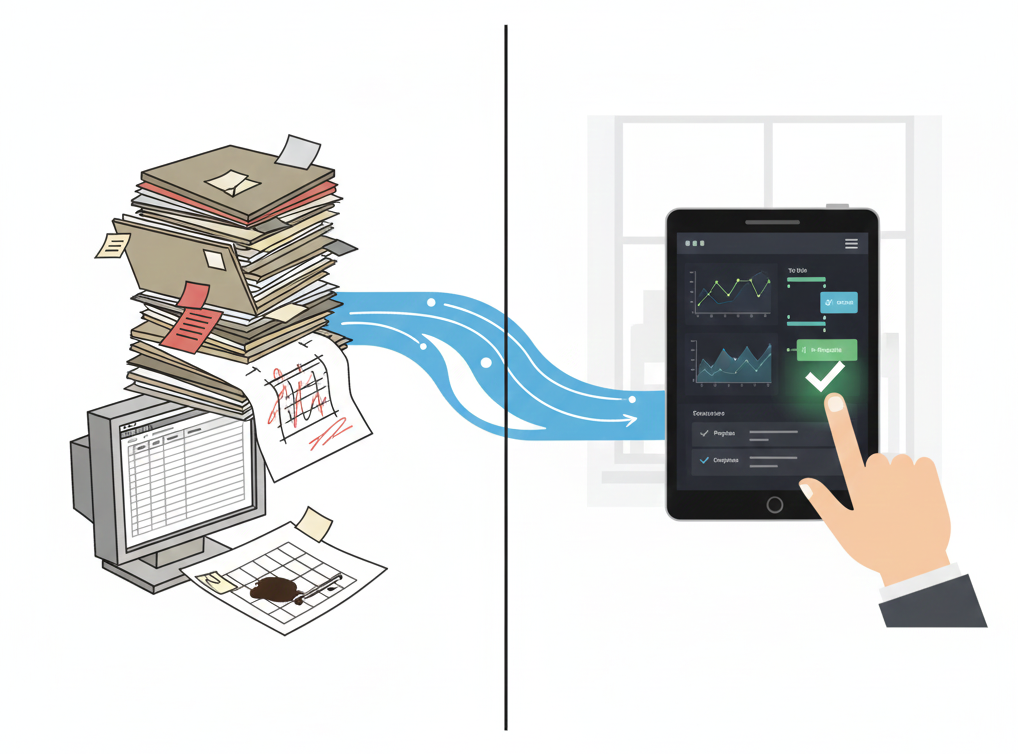
The old way involves disparate spreadsheets and email threads where status updates get buried. Multiple versions of the same submittal float around with no clear indication of which is current. The classic "I never got that email" excuse surfaces when deadlines are missed.
How SubmittalLink Solves This
SubmittalLink automatically generates the Submittal Register, one of the key Division 01 deliverables when required, directly from your project specifications. The system parses your spec book and creates a comprehensive log of every required submittal without manual data entry.
More importantly, SubmittalLink enforces "ball-in-court" tracking. Ball-in-court tracking makes it crystal clear whose desk a submittal is sitting on at any given moment. When you send a submittal package to the architect for review, the system logs the transmission date and starts tracking response time. If the package sits unanswered for 20 days, that delay is documented automatically, giving you objective evidence if you need to claim additional time later.
Native File Transmission Beyond PDFs
Native file transmission means submitting electronic files in their original format alongside PDF records. Native file transmission is often required because owners need to open, edit, and incorporate your files into their own systems. CPM schedules must be submitted in .xer or .mpp format. Shop drawings need to include the native CAD files (.dwg or .rvt), not just flattened PDFs.
The Email Bottleneck
The email bottleneck happens because standard email has a 25MB attachment limit. Many legacy document management systems either restrict file sizes or auto-convert everything to PDF, destroying the native file in the process. Try emailing a detailed P6 schedule with resource loading, you'll hit that limit instantly.
How SubmittalLink Handles Native Files
SubmittalLink offers unlimited cloud storage for all file types. Upload the raw P6 schedule file for the owner's review and include the PDF narrative summary in the same transmittal package. Send 3D BIM models, high-resolution renders, or detailed Excel cost breakdowns without worrying about file size restrictions.
This capability ensures audit compliance. The specifications require you to "provide downloadable native files" so stakeholders can verify calculations, extract data, or integrate your work into master schedules. SubmittalLink preserves every file type exactly as submitted, with full version history. Learn more about how SubmittalLink streamlines submittal workflows.
Security & Chain of Custody
Security and chain of custody means documenting who approved what document and when. It protects all parties when disputes arise. Division 01's "General Tracking and Control" provisions demand a permanent record of all document actions, submissions, reviews, approvals, rejections, and revisions.
How SubmittalLink Protects Your Documentation
SubmittalLink uses role-based permissions to ensure every stakeholder sees exactly what they need and nothing more. Invite consulting engineers, architects, and subcontractors with granular permission levels. The structural engineer reviews their submittals but can't access the electrical contractor's proprietary product data. The architect can't accidentally delete your internal coordination notes.
Every action generates an audit trail with timestamps and user identification. When a submittal is opened, reviewed, approved, or rejected, the system logs the action automatically. No one can go back and change history. If a critical approval sits in someone's queue for three weeks, that delay is documented objectively, and you have the evidence you need for schedule impact claims or delay notifications.
This chain of custody satisfies contractual requirements for verification of document control procedures and protects you when someone inevitably claims they never received a document or never approved a change.
Professional Deliverables and Presentation Standards
Professional deliverables follow industry standards: official transmittals, formatted cover sheets, and sequential numbering systems that match the specification structure. Professional deliverables matter because sloppy document management makes you look like an amateur and gives architects and owners an excuse to delay approvals.
How SubmittalLink Automates Professional Standards
SubmittalLink generates AI-powered cover sheets that transform your submissions into professionally formatted transmittals automatically. The system pulls data from your submittal register and formats documentation according to industry standards, making a three-person contractor look as polished as a major national firm.
SubmittalLink enforces standardized numbering that matches the specification divisions: 03 30 00-01 for the first concrete submittal, 09 65 00-03 for the third resilient flooring submittal. The system won't let you submit out of sequence, preventing the chaos that happens when version control breaks down. No more "Submittal 10.final.real_final_v2.pdf" file names.
When you send a submittal package through SubmittalLink, the package includes a professional cover sheet with your logo, the correct project information, submittal identification numbers, and a clear status designation, all formatted automatically. You focus on getting the technical content right; the system handles the professional presentation.
Compliance Without the Bloat
Compliance without the bloat means using a tool purpose-built to satisfy core administrative requirements straight out of the box. Meeting Division 01 30 00 requirements doesn't mean buying enterprise software that takes six months to implement, requires a dedicated IT team, and costs more than your project contingency.
SubmittalLink delivers exactly what projects with formal CDMS requirements demand:
- ✓ Centralized tracking with clear accountability
- ✓ Unlimited storage for native file formats
- ✓ Bulletproof audit trails and security
- ✓ Professional transmittals and documentation
Compared to competitors, SubmittalLink offers no massive learning curve, no feature bloat, and no paying for modules you'll never use. Stop fighting with spreadsheets and email chains. Start automating your administrative compliance today.
Frequently Asked Questions
Do all construction projects require a Contract Document Management System?
Not all construction projects require a Contract Document Management System. CDMS requirements appear in Division 01 30 00 specifications when owners or architects mandate formal document control protocols. Projects without these specific requirements may allow email and basic cloud storage, though using dedicated software still reduces errors and saves time. Review your project's Division 01 specifications to determine whether formal CDMS protocols are required.
What's the difference between Division 01 30 00 and 01 31 30?
Division 01 30 00 covers Administrative Requirements broadly, including project meetings, progress reports, and general document procedures. Division 01 31 30 specifically addresses Project Management and Coordination, often including detailed CDMS requirements, submittal procedures, and RFI workflows. Think of 01 30 00 as the general category and 01 31 30 as the specific section detailing document management protocols.
How long does it take to set up SubmittalLink for a new project?
SubmittalLink takes minutes to set up for a new project, not weeks. Upload your specification book, invite your team members and consultants, and the system automatically generates your submittal register. Unlike enterprise platforms that require extensive configuration and training, SubmittalLink works out of the box with an intuitive interface that most users master in one session.
Can SubmittalLink replace email for submittal tracking?
SubmittalLink can replace email for submittal tracking completely. The platform eliminates the need to send submittal packages via email by providing a centralized system where all stakeholders access, review, and approve documents. Each action generates automatic notifications, so team members stay informed without cluttering inboxes. Learn more about how SubmittalLink improves on manual workflows.
What happens to my project data if I stop using SubmittalLink?
Your project data remains accessible and exportable at any time. SubmittalLink allows you to download all submittals, RFIs, drawings, and documentation with complete audit trails. The platform stores your files in standard formats (PDFs, native CAD files, Excel spreadsheets) that you can archive independently. There's no proprietary lock-in preventing you from accessing your own project records.
How does SubmittalLink handle submittal reviews with multiple consultants?
SubmittalLink handles multi-consultant reviews through flexible workflow options. Set up sequential reviews where the submittal moves from one consultant to the next, or configure parallel reviews where multiple consultants review simultaneously. The system tracks each consultant's status independently and consolidates feedback into a single response. Learn about sequential vs parallel RFI workflows that apply to submittals as well.
Is SubmittalLink suitable for specialty contractors or just general contractors?
SubmittalLink works for both specialty contractors and general contractors. Specialty trades like masonry contractors and metal fabricators use the platform to manage their submittals to the GC, while general contractors use SubmittalLink to coordinate submittals across all trades. The role-based permissions ensure each party sees only what's relevant to their scope of work.
Ready to see how SubmittalLink handles administrative requirements on your next project? Contact our sales team and we'll show you how to go from spec book to submittal register in minutes, not weeks.