Submittal Status vs. Submittal Review Status: What's the Difference?

.png)
If you've ever stared at your submittal dashboard wondering why something shows "Open" but half your reviewers have already approved it... you're not alone.
The confusion usually comes down to mixing up two related but different things: submittal status and submittal review status. They sound similar, but they track completely different parts of the process.
Here's what you need to know.
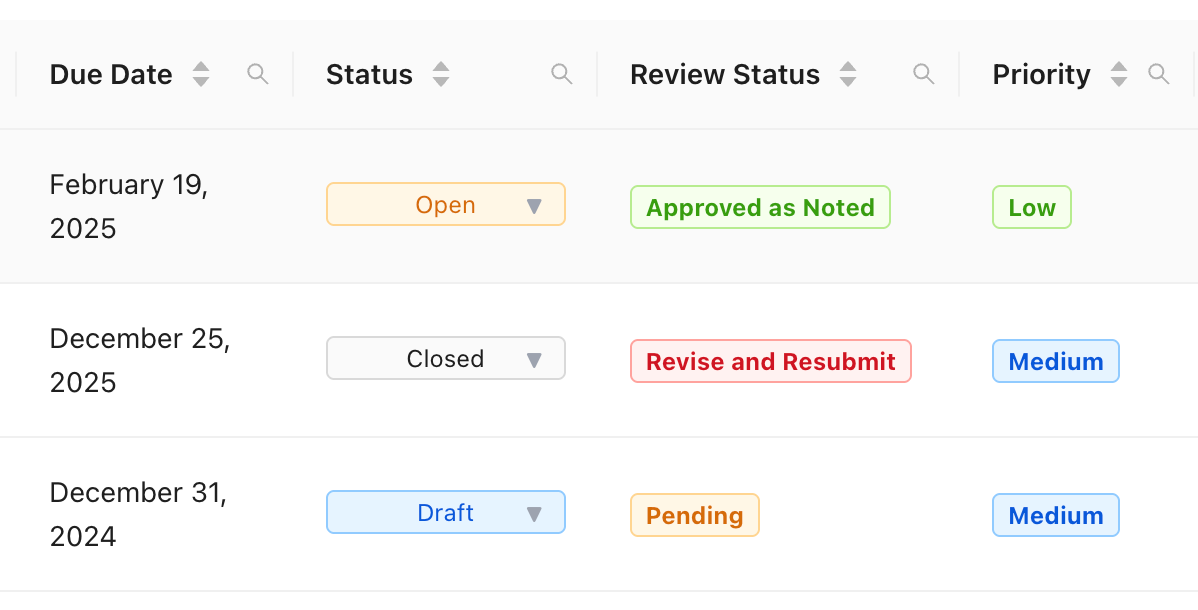
What Is Submittal Status?
Submittal status is the overall lifecycle state of your entire submittal record. It tells you where the submittal is in its journey from creation to completion.
There are three options:
- Draft – You're still working on it. It's not visible to consultants or subs yet, only to project managers on your team.
- Open – You've sent it out for review. People are looking at it (or should be), and you're waiting for responses or for the submittal manager to close it out.
- Closed – All required reviews are done and the submittal's been finalized.
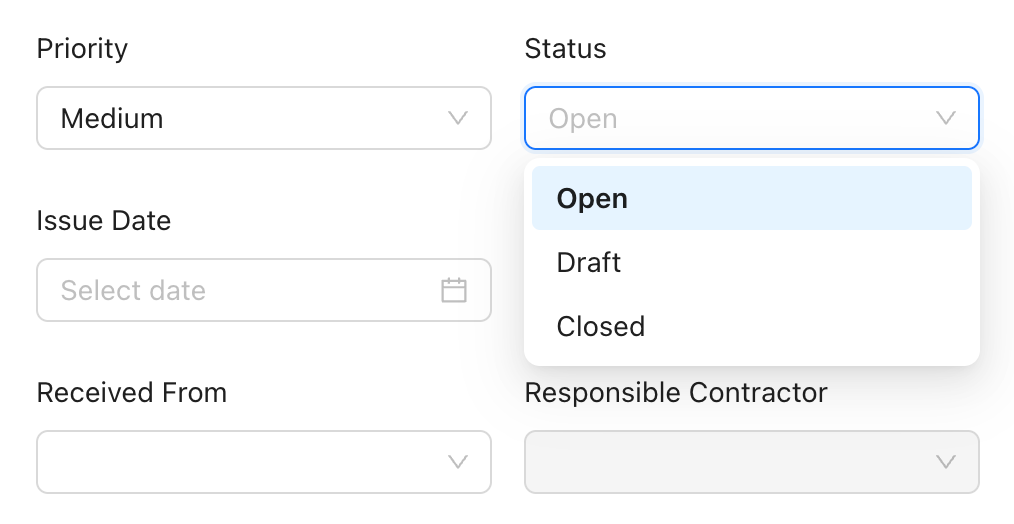
Think of submittal status as the big picture. Is this thing still in motion, or are we done here?
What Is Submittal Review Status?
Submittal review status is the per-reviewer response state. It answers: what did each individual reviewer say or do?
Each reviewer on your submittal gets their own review status. Common ones include:
- Not Started
- In Progress
- Approved
- Approved as Noted
- Revise and Resubmit
- Rejected
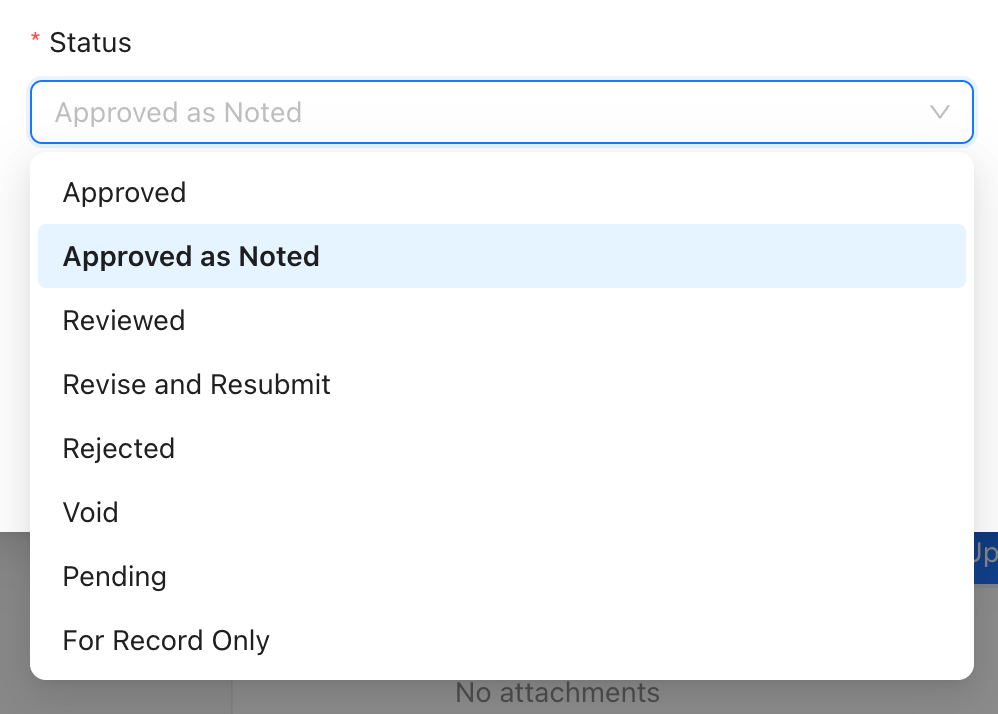
So while the submittal itself might be "Open," you could have three reviewers showing "Approved," one showing "In Progress," and one still sitting at "Not Started."
How They Work Together
Here's the relationship: one submittal has one submittal status, but many review statuses (one for each reviewer).
The submittal status is basically derived from all those individual review statuses plus whatever admin actions happen. If any required reviewer is still sitting at Not Started or In Progress, the submittal stays Open. When all required reviewers hit a terminal state (Approved, Approved as Noted, Revise and Resubmit, or Rejected) and the submittal manager closes it, then it moves to Closed.
A submittal doesn't automatically close just because everyone responded. Someone still needs to mark it done.
Who Controls What
Project managers can change the submittal status. They move it from Draft to Open when it's ready to go out, and from Open to Closed when everything's wrapped up.
Reviewers can only update their own review status. They can't close the submittal or change someone else's response. Project managers can override or fill in missing reviewers if needed, but that's typically an exception.
Why This Matters for Reminders
When a submittal's status is Open, SubmittalLink sends reminder emails to reviewers who haven't finished yet (those showing Not Started or In Progress).
You'll get an initial notification when the submittal opens, then reminders on a schedule if it's overdue. Once the submittal moves to Closed, reminders stop. No one wants emails about something that's already done.
This is why it matters whether you close things properly. Leave a submittal Open after everyone's responded and you'll keep pinging people unnecessarily. For more on how automated notifications keep reviews moving, check out our guide on real-time status updates.
Common Workflow Example
Here's how it typically plays out:
You create a submittal in Draft, finalize the details, then move it to Open. The system notifies your reviewers and starts the reminder clock. Reviewers come in and update their individual review statuses – maybe two approve, one says Revise and Resubmit.
Now you've got mixed review statuses but the submittal status is still Open because not everyone's approved it yet. You log that a revision's needed, wait for the resubmission, then either cycle through reviews again or close it out once everything's sorted.
Draft → Open → individual responses come in → coordinator closes when ready.
If you're new to this process, our step-by-step guide to the construction submittal process walks through the entire workflow from start to finish.
How to Think About Reporting
When you're looking at reports, submittal status tells you about your pipeline. How many submittals are Open? How long have they been sitting there? That's your aging and workload data.
Review status breakdowns tell you about accountability. Which reviewers are holding things up? What's your approval rate by discipline? That's where you see who's blocking progress.
Both matter, but they answer different questions.
The Simple Version
Submittal status tells you the overall phase your submittal's in. Submittal review status tells you the individual verdicts from each reviewer.
One's about the whole record, the other's about each person's response. Keep that straight and you'll navigate your construction submittal software a lot easier.
Frequently Asked Questions
Can a submittal be Closed if one reviewer rejected it?
Yes. Closed just means the submittal's been finalized by the project manager, not that everything was approved. You might close a submittal with a rejection, then create a new submittal for the revision. Or you might leave it Open and wait for a resubmission. It depends on your workflow.
Why is my submittal still showing Open when everyone's responded?
Because someone needs to manually close it. Submittals don't auto-close when all reviewers finish. A project manager has to mark it Closed. Until then, it stays Open and reminders might keep going out.
Can reviewers see each other's review statuses?
Usually, yes. Most teams set permissions so reviewers can see what others said (Approved, Revise and Resubmit, etc.). This helps everyone understand where things stand. But they can't change anyone else's response.
What happens if a reviewer never responds?
The submittal stays Open and reminders keep going. Eventually, a project manager can override that reviewer's status or mark them as not required if needed. But ideally, you'd follow up directly rather than let it sit forever.
Do I need different software to track this stuff?
Not necessarily. Most modern submittal tools (including SubmittalLink) handle both submittal status and review status in one place. If you're still using Excel or email, you're probably tracking this manually... which is why a lot of teams end up switching to proper submittal software.
Ready to Stop Confusing Status Updates?
SubmittalLink automatically tracks both submittal status and review status in one clean dashboard. No more confusion, no more manual emails, no more wondering who's holding things up. See how it works or talk to our team to get started.